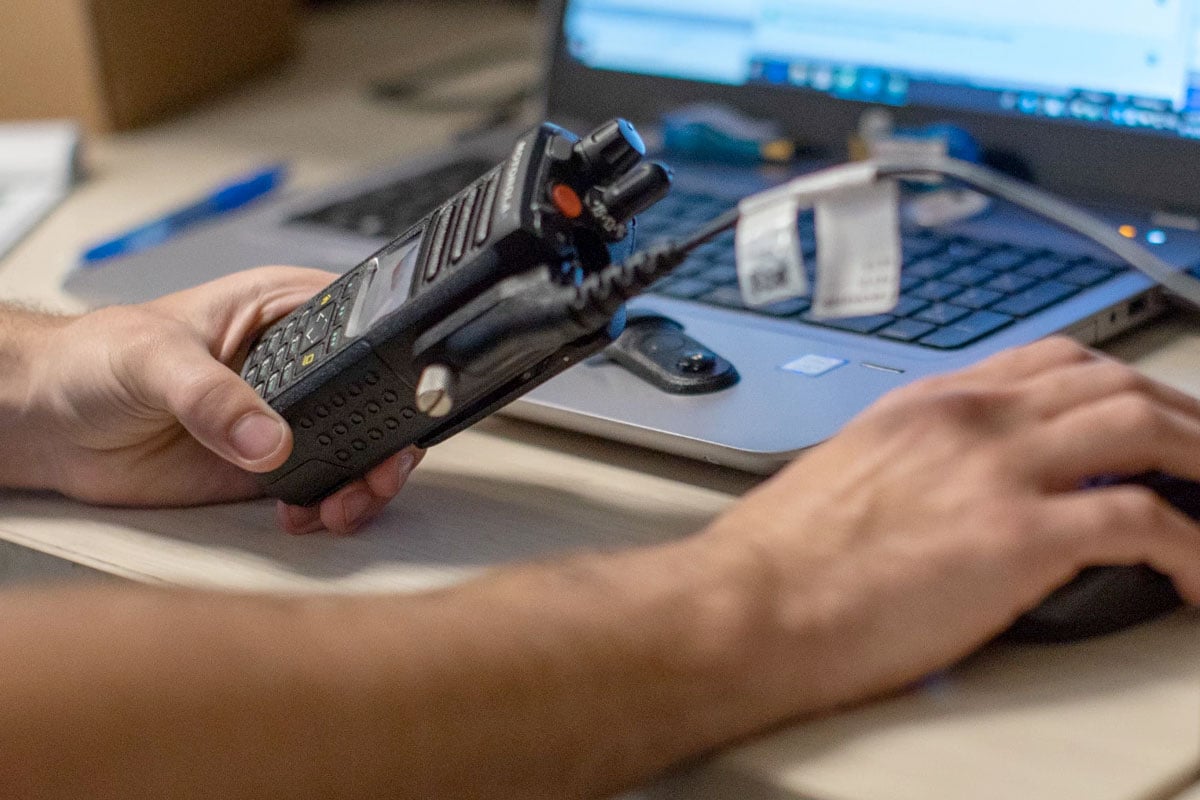
Two-way radios keep teams connected when it matters most. Out of the box, though, they are generic. Programming is what turns them into a simple, reliable system that fits your people, sites, and workflows.
Some organizations handle basic setup in-house, but most rely on a licensed provider to ensure the details are correct and documented. With radios, programming is everything: a single button can be configured to do dozens of different things.
Here’s what to know about programming for business, education, healthcare, and manufacturing. If you work in public safety, we will tailor the process to meet your specific standards.
How Much Programming Do You Need?
The amount of programming depends on the model and how you plan to use it. Here’s what that typically looks like:
-
Entry-Level Models: Some small business radios ship with factory presets and a small menu of end-user options. They still need a basic setup, such as selecting the correct channels or frequencies, so they work properly on your system.
-
Fully Programmable Radios: Some industries require more customization in terms of frequencies and operational parameters, making a fully programmable radio a preferred choice. Higher-end models are flexible and can be configured by a radio professional using the unit or a computer. These must be programmed before they can make or receive calls.
What a Programmed Radio Can Do
Programming defines how communication flows and which features are available. In plain terms, here are the areas we set up so radios match how your team works:
-
Channels and scan to organize teams and make sure the right calls come through
-
Base or repeater setup to extend range across larger facilities or multiple buildings
-
Alerts and emergency features aligned with your policies
-
Repeater selection for operations that span more than one location
-
Bluetooth and accessories, so speaker mics, earpieces, and headsets work the way you expect
-
Audio settings for loud areas to keep messages clear in high-noise environments
If you use a digital system, you may also have “talkgroups,” which are like named channels for specific teams.
Why Radios Often Beat Phones for Operations
When radios are programmed well, they deliver advantages that phones struggle to match. Think safety, reliability, and cost control:
-
Emergency calling and priority interrupt
-
Reliable performance when phone networks are congested or offline
-
Real-time communication without per-line fees
-
Rugged hardware built for field use
-
Location options in supported models for people or asset tracking
Radios also provide a dependable backup in case phones or landlines fail.
What to Prepare Before Programming
Every business and agency has different needs when it comes to communication. You will need to inform your provider about the necessary steps to program your radios, ensuring they are configured to maximize their functionality for your team.
Be prepared to answer these questions for your provider, in as much detail as possible:
Basics
-
How would we like the radios programmed?
-
Which features do we need?
-
How many channels do we want?
-
How many departments and users will be communicating?
Coverage and Calling
-
Will we need coverage on-site and off-site?
-
What is our priority channel?
-
Do we want private calls, group calls, or both?
Safety and Environment
-
Do we need emergency features?
-
Will the radios be used in high-noise environments?
-
What audio settings do we prefer?
-
Do we need encryption for any channels or talkgroups?
Accessories
-
Will we use Bluetooth?
-
Will we use accessories such as speaker mics, earpieces, or headsets?
Consistency With Existing Radios
-
Do we want to replicate programming from our previous radios? (Can we provide one of the old radios so the codeplug can be cloned?)
Timing note: When providers receive complete information up front, programming can often be completed in as little as one business day, depending on the scope.
Avoiding and Fixing Programming Problems
If a new radio of the same model doesn’t work like your old one, the programming isn’t the same. That’s fixable.
Start with these quick checks, in order:
-
Power, Volume, and Channel: Turn the radio on, adjust the volume, confirm the intended channel or scan list, and test the push-to-talk feature.
-
Charging Basics: Ensure the radio is turned off while charging and is seated correctly in the charger.
-
Accessories: Reseat speaker mics and earpieces, or test without them.
-
Battery Health: Swap in a known-good battery. Review packs around the 18-month mark.
-
Match the Programming: Bring an older unit so the setup can be matched by cloning the codeplug.
-
Coverage Changes: If you added buildings or sites, a roaming or repeater update may be needed.
Qualified two‑way radio service providers have the most up‑to‑date software and firmware for programming radios. If you are updating your radios, always make sure to provide one of your old radios to your provider. A provider (like ChiComm) can replicate the previous programming onto new radios using what is called the codeplug from the old radio.
Get the Most From Your Radios
Cutting corners on programming can lead to confusion during routine work and increase risk during emergencies. A licensed two‑way radio services provider helps ensure the setup is correct, documented, and easy to maintain.
Chicago Communications can help you scope needs, program radios to your requirements, and keep things current as your team changes. Contact us to talk with a programming specialist.

Frequently Asked Questions
Do All Radios Need Programming?
Entry-level models may include limited factory presets; however, most business and public safety deployments require professional programming to configure channels, features, and priorities.
Can You Make My New Radios Work Like My Old Ones?
Yes. If you bring an older radio, the codeplug can be copied so new units match your established behavior, then updated as needed.
What Should I Bring to My Programming Appointment?
Your coverage needs, user and channel lists, any accessories, notes on emergency features, and one prior radio if you want the setup cloned.
How Long Does Programming Take?
When complete information is provided up front, programming can often be completed in as little as one business day, depending on the scope.
Can Our IT Team Program Radios or Should We Use a Provider?
Simple fleets can be programmed in-house if you have the correct software and templates. Many organizations prefer a licensed provider to ensure consistency, avoid firmware or template issues, and document the final codeplug.